Testing
Check your DNS records, TLS, authentication and delivery before you rely on the server.
Checklist
- Verify all DNS records (A, PTR, MX, SPF, DKIM, DMARC).
- Test SMTP authentication.
- Check TLS encryption.
- Verify reverse DNS.
- Test sending and receiving.
Check your server with MXToolbox
Run the MXToolbox diagnostic against your mail hostname. A healthy server looks like this:
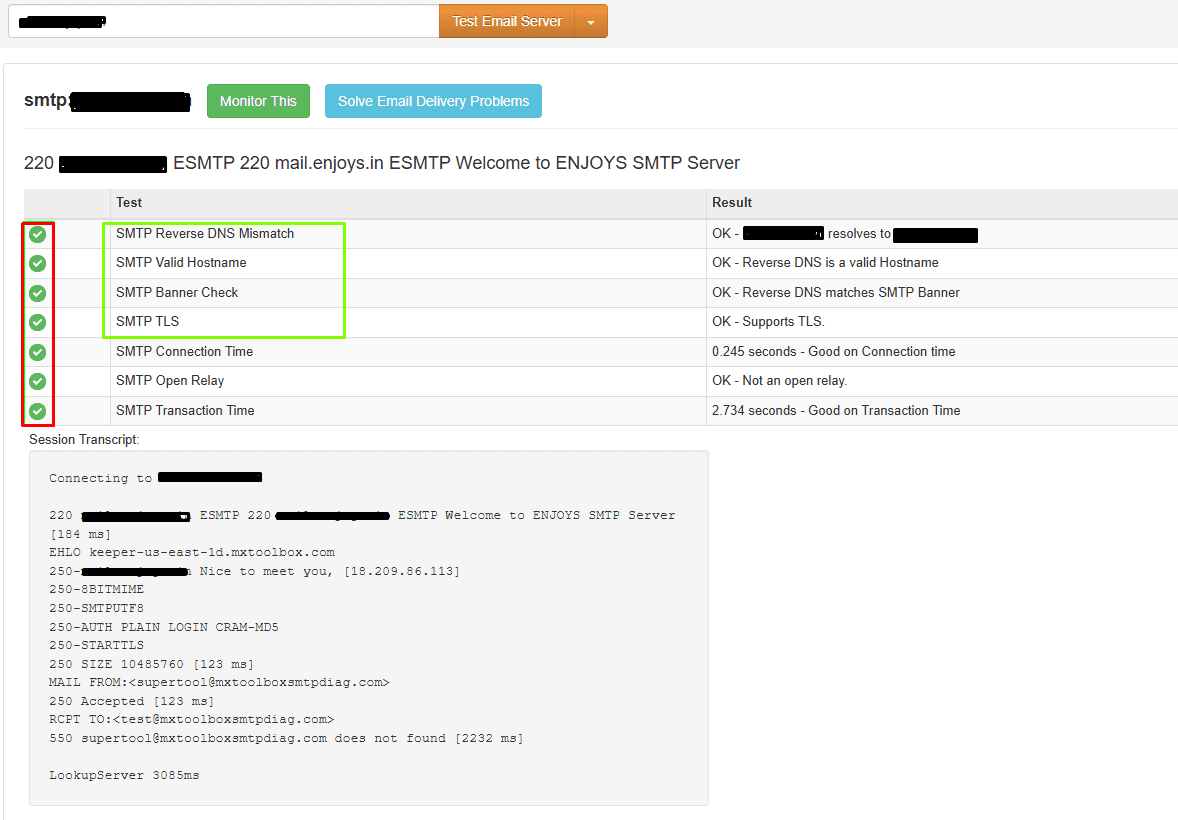
Also check blacklists for your IP address on the same site, because a listed IP is rejected by many receivers.
Send a test message
scripts/send-mail.js sends one DKIM-signed test message straight to the recipient's MX server on port 25.
It asks for three things:
- The sender address.
- One recipient address.
- Your DKIM private key.
It looks up the recipient's MX record, connects, signs the message with the selector default and sends it.
This sends from the machine you run it on
The script delivers directly to the recipient's server, so it tests the DNS records, DKIM key and the sending IP's reputation, not your SMTP listener on port 587. To test port 587, point any mail client at your server with authentication.
It loads its packages and .env from server/, so run bun install there first.
Read the headers
Send a message to a Gmail or Outlook address and open the original message headers. You should see spf=pass, dkim=pass and dmarc=pass. If one fails, the matching record in DNS records is wrong or has not propagated yet.